A till for the Androidyou already own.
No new device needed. Use your own compatible Android phone or tablet to ring up bread at the counter or at a market stall. In the workshop, use it to take payment for a completed Diriqo job.
Use DiriPOS on its own for retail sales. Enable Jobs in Diriqo to take payment for jobs.
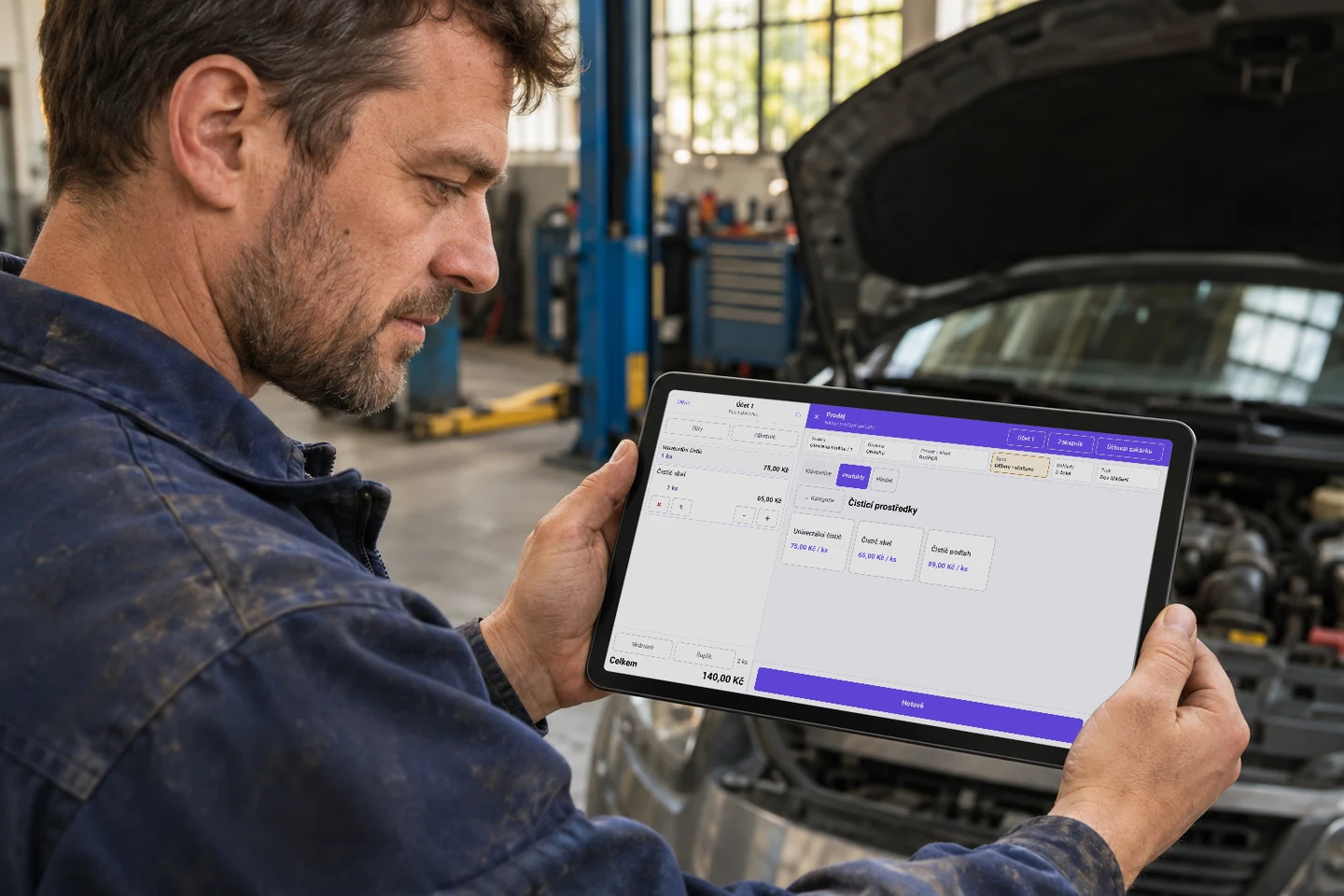 Example workshop jobReplacing the front wipers
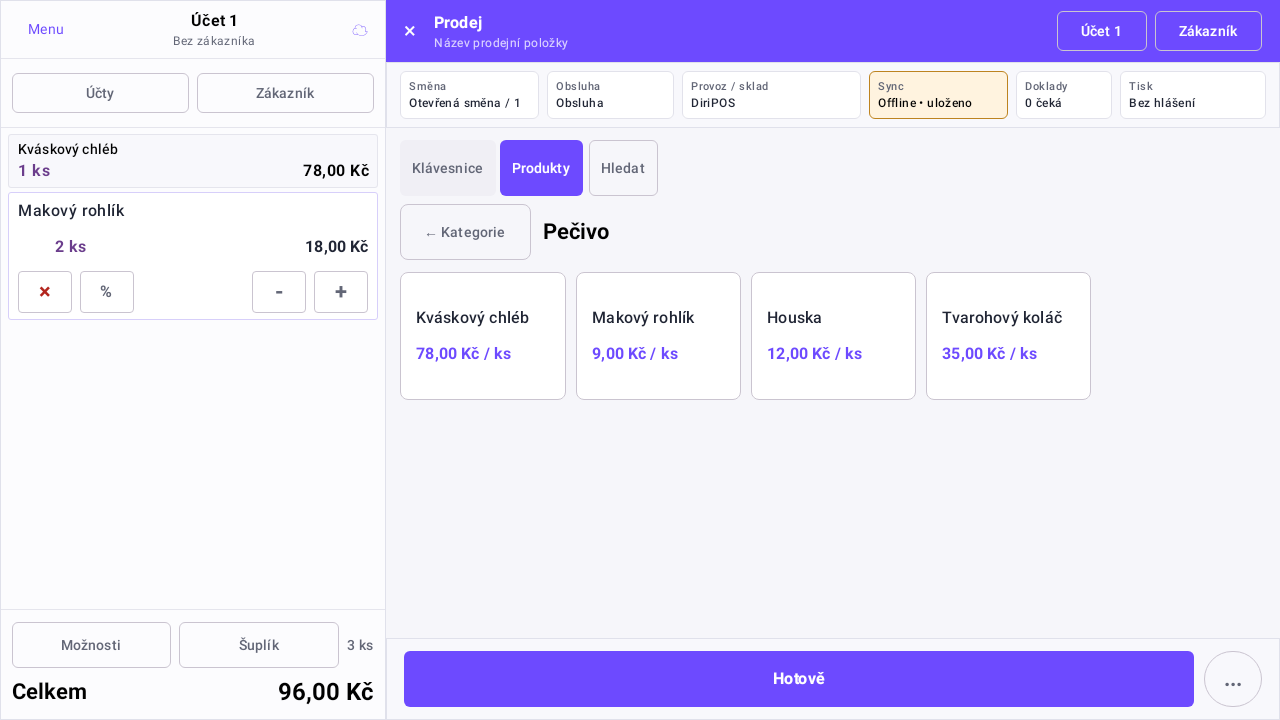
Bakery and market stall
One loaf, two poppy seed rolls.
Tap the sourdough loaf once and the poppy seed roll twice. DiriPOS adds them up so you can take cash and issue a receipt. Selling at the weekend market? Take the same tablet with you.
Enlarge the register screenTrades and workshops
New wipers fitted. Ready to pay.
Choose Charge a job in DiriPOS and select the wiper replacement. The register brings in the agreed price, including fitting, and shows how much to collect.
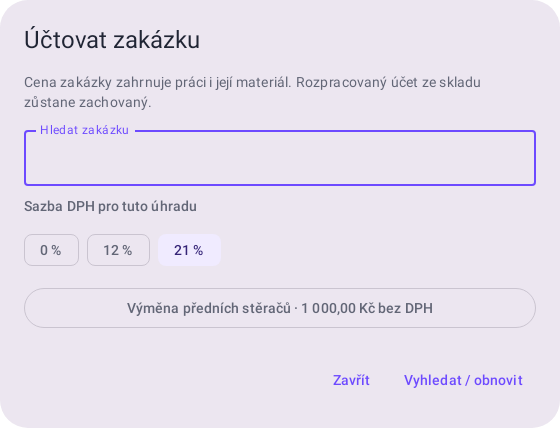
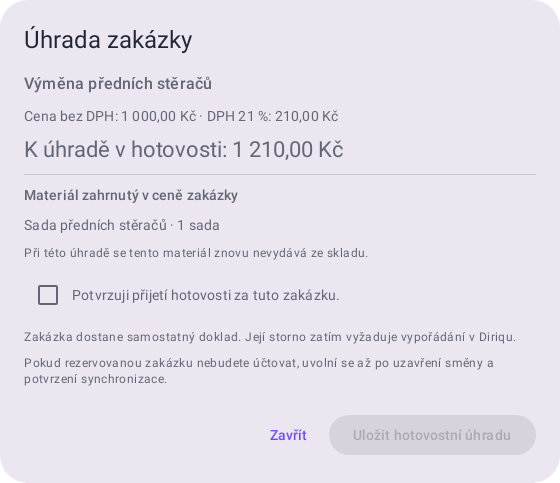
How to take payment for a completed job
- During an open shift, select a completed, unpaid, uninvoiced fixed-price job. Check its amount and included materials.
- Confirm once you have received the cash. For bank QR payments, check that the money has reached your account.
- DiriPOS issues a separate receipt. Once synced, the payment appears on the job and in the shift totals.
Inside the app
See the register up close.
These are screens from the Czech Android app. Choose a view or open a screenshot at full size.
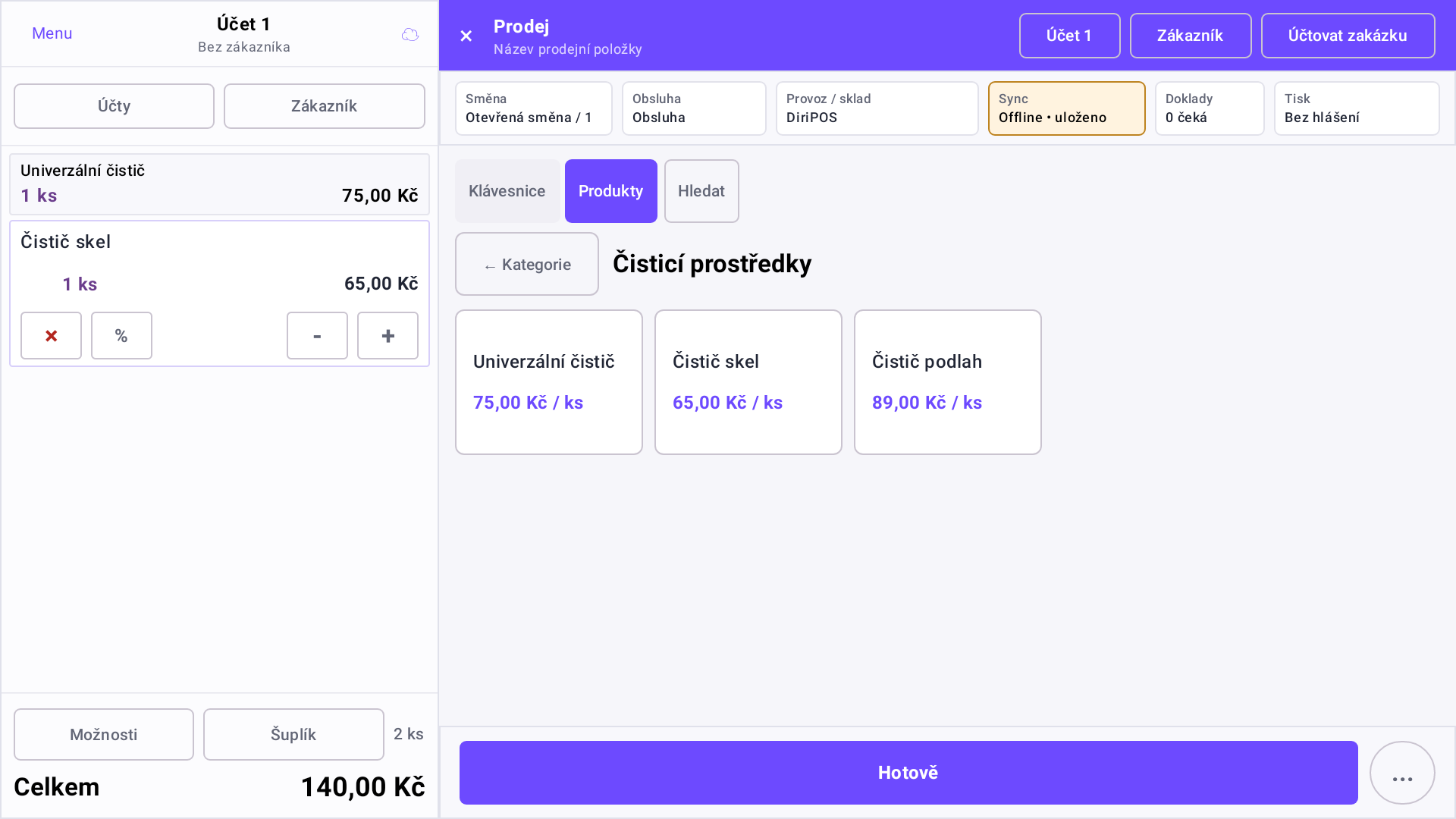
Choose an item to see its price and quantity on the bill.
Online management
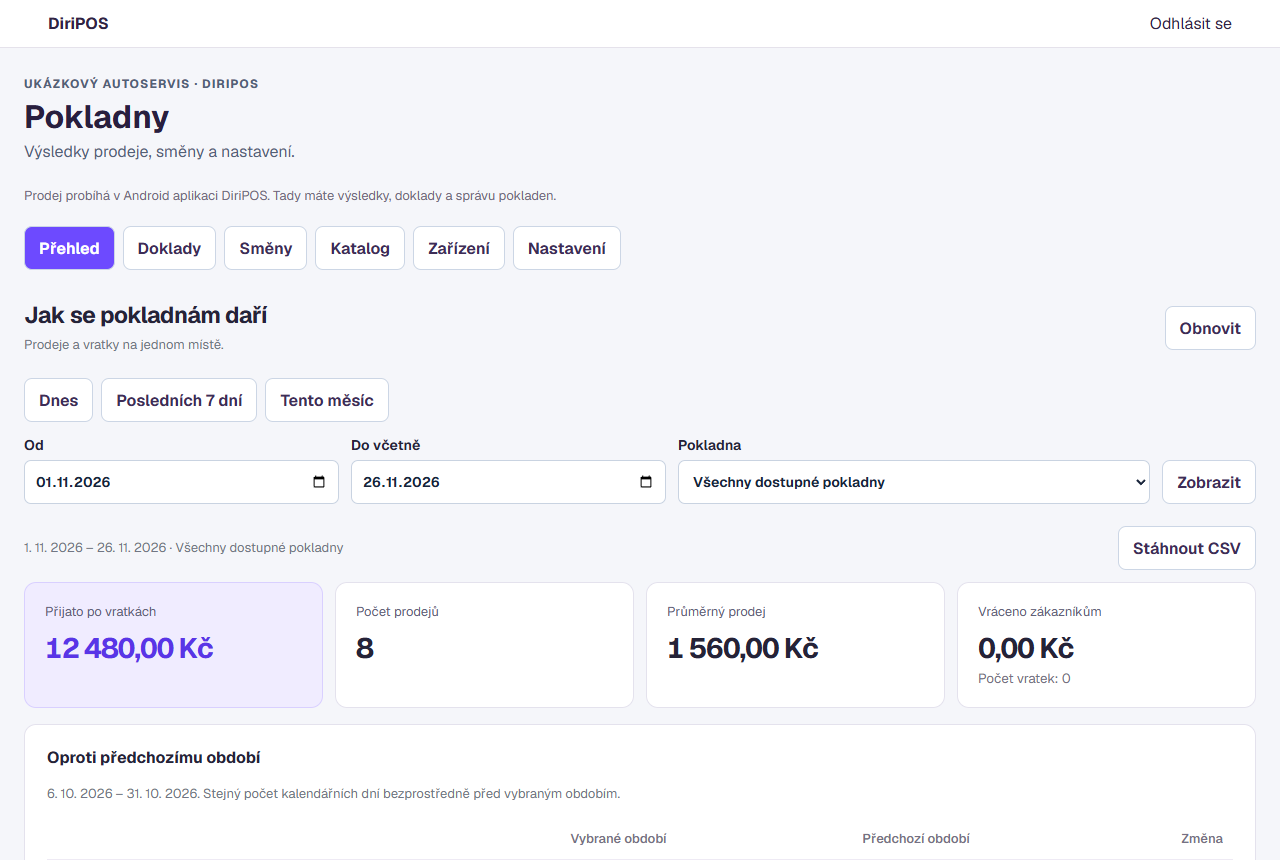
How much did you sell? Open your overview.
With standalone DiriPOS, sign-in takes you straight to Registers. Select a date range or a single register to see takings after refunds, sales count and average sale.
Receipts and sales records
Register management keeps the receipt and shift totals together. For Czech EET 2.0, an administrator connects the company certificate to the register. During active reporting, the receipt shows pending delivery or the POK acknowledgement received.
At work
What goes on the bill?
Use your own price list, even without inventory tracking. Products and labour can go on the same bill.
Vehicle workshop
After fitting new wipers, add the blades and the fitting charge to one bill. Take the cash beside the car and finish the sale on your tablet.
Retail shop
Find an item by category or enter its PLU. At handover, compare recorded takings with the cash in the drawer.
Café
Ring up coffee and pastries on one bill. A prepared register can keep recording cash payments during an outage while its offline authorisation is valid.
Frequently asked questions
Have another question?Do I need to buy a new tablet or a dedicated till?
You can use your existing compatible Android phone or tablet. Open Google Play on the device to check whether you can install DiriPOS. Open DiriPOS on Google Play
Do I need Diriqo Core?
An account and an active DiriPOS register licence are enough. Manage the register, catalogue and operators online.
Can I sell services without a warehouse?
Yes. Add each service to the price list with its own price and unit. Sales can be completed without a stock movement.
What happens without internet?
Cash sales in a prepared shift are saved on Android and sync when the connection returns. Card terminals have their own connectivity requirements.
How can I get a register?
DiriPOS is in pilot. Tell us about your business and we will get in touch about pilot availability and supported equipment.
Pilot programme
Try DiriPOS in your business.
Tell us where you take payments and which devices you already use. We’ll work out a suitable pilot with you.